
Proven eCommerce Product Page Optimization: 30 Powerful Features That Increase Conversions
Introduction
Most ecommerce brands focus on traffic, ads, and promotions. But the real conversion battle is won or lost on the product page.
Shoppers don't arrive on a product page ready to buy.
They arrive curious, cautious, and comparing.
They scroll fast. They judge visuals before reading. They look for proof before trusting. And at every step, they're silently asking questions like:
"Is this brand real?"
"Will this actually work for me?"
"What if I choose wrong?"
A product page is not just where you show an item. It's where shoppers decide if they trust you, if the product fits their life, and if it feels safe to buy. The most effective product pages are designed around real customer behavior, not just design trends.
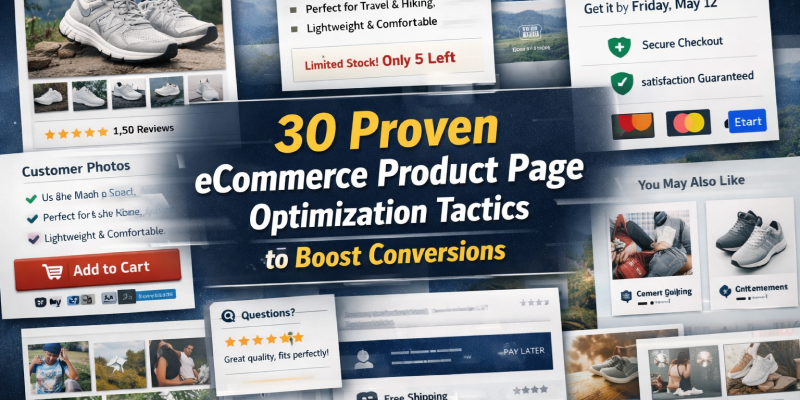
Below are 30 essential product page features that help remove hesitation, build trust, and guide visitors toward confident purchases while also encouraging them to come back again.
- Building Trust at First Glance
- Helping Shoppers Understand Product Value
- Using Social Proof to Build Confidence
- Reducing Risk Before Purchase Decisions
- Encouraging Desire and Emotional Connection
- Boosting Order Value and Future Returns
The eCommerce Customer Journey on a Product Page:
| Stage | What Customer Feels | Features That Help |
|---|---|---|
| First look | "Is this legit?" | Images, title, ratings |
| Interest | "Is this right for me?" | Benefits, video, use cases |
| Evaluation | "Can I trust this?" | Reviews, UGC, trust badges |
| Decision | "Is it safe to buy?" | Returns, shipping, FAQ |
| Excitement | "I want this!" | Lifestyle imagery, storytelling |
| Expansion | "What else do I need?" | Bundles, cross-sells |
| Return later | "I liked that store" | Wishlist, subscriptions, smooth UX |
1. Product Titles Optimized for How Customers Really Search
The product title is often the first real piece of text shoppers read. If it looks like a factory code or internal SKU, it immediately creates distance. Strong titles mirror how real people think and search, clear, benefit-aware, and specific enough to feel relevant.
A good title doesn't just name the product. It frames its purpose. Instead of sounding like a catalog entry, it sounds like a solution.
On-page tactics include:
- Using everyday language instead of only SKU
- Mentioning the main benefit or use case
- Avoiding unnecessary technical clutter
- Aligning wording with search intent
2. A Short description That Answers "Why Should I Care?"
Right below the title, shoppers are looking for a quick signal of value. This is where a short supporting lines can do powerful work. It acts like a mini pitch, clarifying what makes this product worth attention before the shopper scrolls further.
This line isn't about only features. It's about outcome. Comfort. Speed. Protection. Ease. It helps the shopper decide, "Okay, this might be for me."
On-page tactics include:
- A short value statement
- Clear outcome-focused wording
- Placement near title and price
- Language that's easy to grasp at a glance
3. A Primary Image That Instantly Signals Quality
Before reading anything, shoppers judge the brand by the first image. A sharp, well-lit, professional photo tells them this is a serious product. A dull or cluttered one raises doubts before they even know why.
The primary image sets the tone. It's not just about showing the product, it's about signaling credibility.
On-page tactics include:
- High-resolution photography with visible detail
- Clean background that keeps focus on the product
- Zoom functionality for closer inspection
- Fast-loading optimization to avoid lag
4. Multiple Angles That Remove "What Does It Really Look Like?"
Online shoppers can't pick things up, so they try to "inspect" products visually. If they only see one angle, uncertainty creeps in. More views create clarity. Clarity creates confidence.
Showing different sides, textures, and proportions answers unspoken questions like "How thick is it?" or "What does the back look like?"
On-page tactics include:
- Front, back, and side views
- Close-ups of key materials or details
- Images that show depth and scale
- Smooth gallery navigation
5. Interactive Zoom and 360° Views That Mimic Real Inspection
When shoppers can zoom deeply or rotate a product, the experience feels more hands-on. It shifts them from passive viewers to active explorers. That sense of control reduces hesitation.
Interactive visuals don't just look modern, they make the product feel more real and less risky.
On-page tactics include:
- Deep zoom for fabric, finish, or texture
- 360° rotation for shape-based products
- Easy drag or swipe interaction
- Mobile-friendly responsiveness
These aren't just "nice visuals." Interactive viewing can increase engagement by over 80%, because shoppers feel more in control and less uncertain about details.
6. A Short Video That Shows the Product in Motion
Some questions can't be answered with still images. How flexible is it? How does it move? How is it actually used? A short video bridges that gap instantly.
When shoppers see the product in action, they stop imagining and start understanding.
On-page tactics include:
- Demonstrating real-life use
- Keeping the video concise and focused
- Highlighting key benefits in action
- Including captions for silent viewing
7. A Description That Talks About Life With the Product, Not Just the Product Itself
Many product descriptions list materials, measurements, and technical terms but shoppers are really trying to picture how the product fits into their routine.
Strong descriptions translate features into lived experience. They help the shopper imagine wearing it, using it, or relying on it. Instead of sounding like a spec sheet, the copy feels like guidance.
When done well, the description quietly answers: "How will this make my day better?"
On-page tactics include:
- Framing features through real-life benefits
- Using clear, natural language
- Breaking information into easy sections
- Balancing emotion with practical detail
8. Scannable Highlights for Shoppers Who Don't Read
Not every visitor reads full descriptions. Many scroll quickly, looking for confirmation points, small signals that say "Yes, this does what I need." That's where short, punchy highlights do heavy lifting.
These aren't filler bullets. They're decision shortcuts that help shoppers process value fast, especially on mobile.
On-page tactics include:
- Short benefit-led bullet points
- Icons that reinforce key features visually
- Language focused on outcomes, not jargon
- Placement near the top section of the page
9. Visual Variant Selection That Prevents Costly Mistakes
Choosing the wrong size or color is one of the biggest online buying fears. If variant selection feels confusing or text-heavy, hesitation grows. Clear visual selectors reduce mental effort and increase confidence.
When shoppers feel certain they're choosing correctly, they move forward faster.
On-page tactics include:
- Color swatches instead of text lists
- Easy access to size guides
- Clear labeling of variants
- Visual preview when an option is selected
10. Use Cases That Help Shoppers See Themselves Using It
Shoppers often ask, "Will this actually fit into my life?" Specific use cases answer that question better than generic claims. They make the product feel relevant, not abstract.
This is where the page connects features to real situations.
On-page tactics include:
- "Perfect for…" style examples
- Describing real-life scenarios
- Highlighting different user types
- Framing around problems solved
11. Star Ratings Exactly Where Eyes Naturally Look
After glancing at the title and image, many shoppers immediately look for proof that others have bought and approved the product. If ratings aren't easy to find, doubt creeps in.
Visible ratings provide quick reassurance before deeper reading begins.
On-page tactics include:
- Displaying rating near the product title
- Showing the average score clearly
- Making reviews easy to access
- Keeping the rating count updated
12. A Review Count That Signals Popularity
Five stars from five people feels very different than five stars from five thousand. Volume adds weight. It suggests the product has been tested by many, not just a few.
This helps reduce the fear of being the "first to try."
On-page tactics include:
- Showing total number of reviews
- Placing it beside the star rating
- Making it clickable for deeper reading
- Ensuring it reflects genuine buyers
13. Reviews That Talk About Results, Not Just Praise
"Great product!" doesn't help much. But "I can wear this all day without discomfort" paints a picture. Reviews that describe change or improvement are far more persuasive.
They answer the shopper's hidden question: "Will this actually work for someone like me?"
On-page tactics include:
- Highlighting outcome-focused reviews
- Featuring short, relatable quotes
- Positioning key reviews near the buying area
- Showing a mix of different user experiences
14. Customer Photos That Make the Product Feel Real
Professional photos show the product at its best. Customer photos show it in reality. That realism builds trust and removes the fear that official images are hiding flaws.
Seeing the product in everyday settings makes it feel more tangible.
On-page tactics include:
- Displaying user-uploaded images
- Showing the product in different environments
- Including various body types or setups
- Blending UGC into the review section
User-generated visuals often convert up to 5× better than brand-only images because they feel real and unfiltered.
15. Trust Badges That Calm Silent Payment Fears
Even when they don't say it, shoppers worry about security. They wonder if their payment is protected or if the brand is legitimate. Small trust signals help quiet those concerns.
These elements don't need to shout, they just need to be present at the right moment.
On-page tactics include:
- Secure checkout icons
- Mentions of warranty or guarantees
- Placement near the Add to Cart area
- Clean, non-intrusive design
16. Clear Delivery Timing That Sets Expectations Early
Uncertainty about arrival time can stall a purchase. When shoppers know exactly when to expect their order, the decision feels more predictable.
Clarity reduces hesitation, especially for time-sensitive purchases.
On-page tactics include:
- "Arrives by…" messaging
- Location-based delivery estimates
- Placement near price or CTA
- Simple, easy-to-read wording
17. Shipping Cost Transparency That Protects Trust
Few things break trust faster than surprise fees at checkout. When shipping costs are unclear, shoppers assume the worst and delay buying.
Being upfront keeps expectations aligned.
On-page tactics include:
- Showing shipping costs on the product page
- Highlighting free shipping where applicable
- Avoiding hidden charges
- Explaining thresholds simply
55% of shoppers abandon carts due to hidden or unclear shipping costs. It is one of the top reasons for cart abandonment. Clear shipping details can significantly reduce drop-offs.
18. A Return Policy That Feels Easy and Fair
Shoppers are more willing to buy when they know they're not trapped. A clear, friendly return summary lowers the risk of trying something new.
They don't read every detail, they look for reassurance.
On-page tactics include:
- Short return summary near CTA
- Clear number of return days
- Link to full policy
- Simple, non-legal wording
19. FAQs That Stop Shoppers From Leaving to Search Elsewhere
When a question pops up and the answer isn't visible, shoppers often open another tab. Many don't return. A good FAQ section keeps them on the page and moving forward.
It acts like a quiet salesperson answering common objections.
On-page tactics include:
- Covering top customer questions
- Using collapsible sections
- Writing in simple, direct language
- Updating based on real inquiries
20. Microcopy Near the Button That Reassures at the Last Second
Right before clicking "Buy," shoppers pause. Small reassurance lines at that moment can tip the balance from hesitation to action.
These lines are subtle but powerful.
On-page tactics include:
- "Secure checkout" reminders
- "No hidden charges" notes
- Return or guarantee mentions
- Placement directly under the CTA
21. Lifestyle Imagery That Creates Emotional Pull
Beyond logic, shoppers buy based on how a product makes them feel. Lifestyle visuals show the product as part of a desirable routine or identity.
They shift thinking from "Do I need this?" to "I want this."
On-page tactics include:
- Real-life usage settings
- Emotion-driven scenes
- Consistent brand atmosphere
- Images that reflect target customers
22. Scenario Visuals That Show Versatility
Showing the product in multiple contexts increases perceived usefulness. It helps more shoppers see where it fits into their own lives.
Versatility widens appeal.
On-page tactics include:
- Different environments or use cases
- Multiple user types
- Everyday situations
- Visual storytelling beyond the studio
23. A Comparison Section That Keeps Research on Your Page
Shoppers love to compare. If they can't do it easily on your page, they leave to check competitors. A simple comparison section keeps that research in-house.
It builds confidence without pushing.
On-page tactics include:
- Side-by-side comparisons
- Clear highlight of differences
- Easy-to-read layout
- Honest positioning of options
24. A Delivery Reminder Near the Buy Button
Even if delivery was mentioned earlier, shoppers often scroll back up to recheck timing before buying. Repeating it near the CTA supports that moment.
It removes last-minute uncertainty.
On-page tactics include:
- "Get it by…" near the button
- Short, clear timeframe
- Location-aware messaging
- Subtle but visible placement
25. Subtle Stock Urgency That Encourages Action
Scarcity nudges shoppers from "I'll think about it" to "I should grab this now." When done honestly, it adds momentum without pressure.
It signals that waiting might mean missing out.
On-page tactics include:
- "Only a few left" notices
- "Selling fast" indicators
- Real-time stock logic
- Moderate, believable messaging
26. Smart Recommendations That Feel Helpful, Not Pushy
Relevant add-ons make the experience feel curated rather than sales-driven. When suggestions truly match the main product, they feel like service.
This increases value without breaking trust.
On-page tactics include:
- Behavior-based recommendations
- Complementary, not random, products
- Easy add-to-cart options
- Placement below main product info
27. Bundles That Make Buying More Feel Like a Smart Choice
Bundles reduce decision fatigue by grouping products that naturally go together. They also create a sense of getting more value in one step.
Shoppers feel efficient, not pressured.
On-page tactics include:
- Logical product combinations
- Visible savings comparison
- Simple selection process
- Clear explanation of what's included
Well-placed cross-sells can increase average order value by around 10% or more, especially when the items feel like helpful additions rather than upsells.
28. Flexible Payment Options That Reduce Price Pressure
High prices can cause pause. Breaking payments into smaller amounts makes the cost feel more manageable and less intimidating.
It shifts focus from total price to affordability.
On-page tactics include:
- EMI or installment display
- "Pay later" options
- Monthly cost breakdown
- Placement near price
Offering familiar payment choices can lift conversion rates by 14–21%, while flexible payment structures reduce cart abandonment significantly.
29. Multiple Payment Methods That Feel Familiar and Safe
Shoppers are more comfortable when they see payment methods they already trust and use. Familiarity lowers friction at checkout.
It makes the final step feel smoother.
On-page tactics include:
- Cards, wallets, and local methods
- Recognizable payment logos
- Visibility before checkout
- Consistent experience across devices
Flexible payment options can improve conversion rates by 20–40%, and a majority of shoppers report spending more when pay-later is available.
30. Live Chat or AI Help for Last-Minute Doubts
Sometimes a single unanswered question stops a sale. Quick access to support keeps shoppers from leaving to search elsewhere.
Instant help can be the difference between hesitation and purchase.
On-page tactics include:
- Easy-to-spot chat icon
- Answers to sizing, shipping, usage
- Available directly on product pages
- Fast response expectation
Real-time help on product pages can increase conversion rates by 20%+, especially when shoppers have sizing, compatibility, or delivery questions.
Final Thoughts
A high-converting product page doesn't just display information. It builds trust, answers silent questions, reduces risk, and helps shoppers imagine a better experience with the product.
When your product pages support real customer decision-making, conversions improve naturally and shoppers are far more likely to return, recommend, and buy again.
Explore conversion-optimized eCommerce templates and see how the right product page design can transform your sales.



