
nopCommerce 5.0: What's New and Which Features Matter Most?
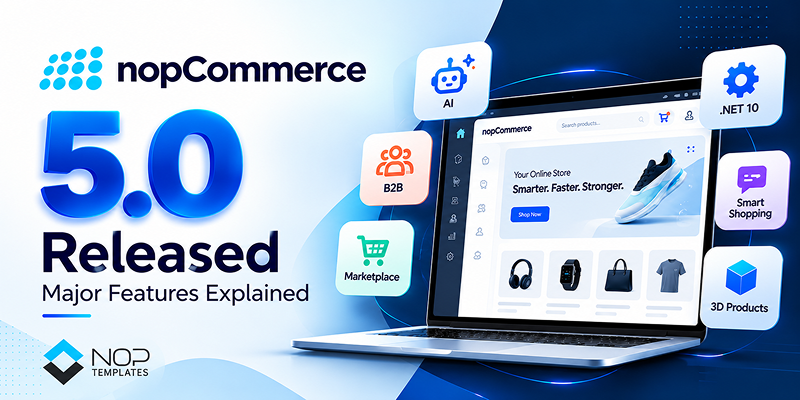
nopCommerce 5.0 introduces several important changes for eCommerce businesses, including an upgrade to .NET 10, AI-powered shopping capabilities, native price lists, automated reminders, and more flexible marketplace features.
But which updates are most relevant to your store? And what should you check before planning an upgrade?
nopCommerce 5.0 is the official stable release, published on October 27, 2026. Store owners can plan a production upgrade once they confirm that hosting, themes, plugins, and custom code work with this version. Test the new features on a staging copy of the store before you turn them on for customers.
What Is nopCommerce 5.0?
nopCommerce 5.0 is the current major version of the open-source eCommerce platform. It adds features for B2B commerce, customer engagement, product discovery, and store management.
One of the major technical changes is the move to .NET 10. The release also introduces native price lists, AI-related integrations, phone-number login with SMS, vendor cart options, desired delivery dates, and product 3D images.
These updates may be especially relevant to businesses with complex pricing, large product catalogs, marketplace requirements, or a need to automate routine customer interactions.
The value of each feature depends on how your store operates and which capabilities you actually need.
nopCommerce 5.0: Key Features and Platform Improvements
1. AI-Powered Shopping Experiences
nopCommerce 5.0 highlights several AI-related capabilities designed to improve product discovery and customer assistance.
AI-powered recommendations
Recommendation engines can help shoppers discover relevant products based on the available recommendation logic and data. Their usefulness depends on the implementation, product catalog, and quality of the recommendations.
ChatGPT Shopping product feed
nopCommerce 5.0 introduces a product feed that shares up-to-date product details, including prices and availability, to help ChatGPT index and display products in relevant shopping results.
Jotform AI chatbot
The Jotform AI chatbot integration can support customer conversations using its configured knowledge sources and capabilities. Businesses should test its answers, escalation process, and handling of customer questions before relying on it for customer support.
Google AI Commerce Search
Google AI Commerce Search is part of the official release. In the plugin settings, “Allowed for registered users only” is turned on when the plugin is first installed. Guests then keep the normal catalog search until you change that setting. AI search is used when a shopper types keywords. Opening a category or a manufacturer still uses the standard product search. Before you enable it, review the integration requirements, the configuration, and any Google service costs.
For store owners, the key consideration is not simply adding AI. It is choosing capabilities that make product discovery easier or help customers find answers without introducing unnecessary complexity.
2. Native Price Lists for B2B Stores
Managing different prices for different business customers can become difficult when pricing depends on customer groups, negotiated rates, or commercial agreements.
nopCommerce 5.0 introduces native price list support, making this an important feature to evaluate for B2B stores.
Potential use cases include:
- Wholesale pricing for business customers
- Different prices for selected customer groups
- Contract-based pricing arrangements
- Managing product prices across different business relationships
Before adopting price lists, review the available pricing rules and how they interact with your existing catalog, discounts, customer roles, and custom pricing logic.
For businesses that manage multiple pricing arrangements, native functionality may reduce the need to build every pricing requirement from scratch.
3. Automated Reminders for Customer Follow-Up
The new release includes reminders for abandoned carts, pending registrations, and pending orders.
These reminders can help businesses follow up when customers leave a shopping process incomplete.
For example:
- Abandoned carts: Remind shoppers about products left in their carts.
- Pending registrations: Follow up with users who have not completed registration.
- Pending orders: Send reminders for orders that still require attention.
The effectiveness of reminders depends on their configuration, timing, message content, and the customer journey. Store owners should test the conditions that trigger each reminder and ensure messages are relevant.
Automation can reduce manual follow-up, but it should complement a clear customer communication strategy rather than replace it.
4. More Flexible Vendor Carts and Checkout
The release announcement includes support for consolidated and separate vendor carts.
This is relevant to multi-vendor marketplaces where products may be supplied by different sellers with different fulfillment arrangements.
Depending on the selected cart behavior, a marketplace can offer a more consolidated shopping experience or keep vendor orders separate. Review how the chosen configuration affects checkout, shipping, payments, order management, and the customer experience.
The release also introduces a desired delivery date option, allowing customers to select a preferred delivery date where the store's configuration and fulfillment process support it.
These features may be useful for marketplaces and businesses that need more control over vendor orders or delivery expectations. Test the complete order flow before enabling them on a live store.
5. Product 3D Images
nopCommerce 5.0 supports 3D models on product pages.
For products where shape, dimensions, or visual details influence buying decisions, a 3D model gives shoppers another way to examine an item. Useful categories include furniture, home décor, accessories, and selected industrial products.
The store accepts only .glb files. Other file types are not supported. The default size limit is 20 MB. You can add a preview image, and you can turn camera control, zoom, auto-rotate, and lazy loading on or off.
Prepare the model file, then check loading on desktop and mobile before you add 3D models across the catalog.
6. Phone Login with SMS Verification
The new version adds phone-number sign-in with SMS as an additional login option alongside email-based login.
This can provide another way for customers to access their accounts, particularly when phone numbers are already part of the store's registration or ordering process.
Before enabling the feature, test the complete login and verification flow, including SMS delivery, invalid codes, repeat attempts, and the customer recovery process. Also review the requirements and costs of the selected SMS provider.
The goal is to make account access convenient without compromising security or creating unnecessary login friction.
7. EU Withdrawal and Product Safety Information
The official announcement highlights an EU Withdrawal Button related to Directive (EU) 2023/2673 and functionality associated with general product safety requirements.
These features are relevant to stores selling in the EU, where consumer withdrawal rights and product safety requirements may apply.
Store owners should review the applicable rules and verify that their store's implementation meets the requirements for their business and products.
8. PunchOut Support for B2B Procurement
The official announcement also highlights PunchOut support using cXML.
PunchOut is relevant to businesses whose corporate customers purchase products through procurement systems. It can support a connected purchasing workflow between a buyer's procurement environment and a supplier's online catalog.
This capability is worth evaluating if your business serves enterprise buyers or needs to fit into an existing procurement process.
Before implementation, confirm compatibility with the buyer's procurement system and the required cXML workflow, and identify any configuration or integration work needed for your business.
9. .NET 10 and Platform Changes
The move to .NET 10 is one of the major technical changes in nopCommerce 5.0.
For developers and store owners, a framework update is not just a version-number change. It can affect hosting requirements, custom code, third-party dependencies, and deployment procedures.
Before upgrading, check:
- Whether your hosting environment supports the required .NET runtime
- Whether your themes and plugins support the target nopCommerce version
- Whether custom code and external integrations need updates
- Whether your deployment and backup procedures are ready
- Whether the store passes testing in a staging environment
Don't assume older customizations or extensions are compatible; consult a trusted nopCommerce expert before upgrading.
Which Businesses May Benefit Most From nopCommerce 5.0?
The usefulness of the new features depends on your business model and current store setup.
B2B and wholesale businesses: Native price lists and PunchOut support are worth investigating if you manage negotiated prices or serve corporate procurement teams.
Multi-vendor marketplaces: Vendor cart options may help you structure orders and fulfillment across sellers.
Stores focused on customer engagement: Automated reminders and AI-related integrations may support customer follow-up and product discovery.
Businesses selling visually detailed products: Product 3D images may give customers another way to explore selected products.
Businesses selling in the EU: Withdrawal and product safety functionality may be relevant, subject to a review of applicable requirements.
You do not need to adopt every new feature. Start with the capabilities that solve a real problem for your business.
Should You Upgrade to nopCommerce 5.0?
Upgrade when the new features are useful for your store and your themes, plugins, and custom code are ready for nopCommerce 5.0.
The stable release is available. A live store still needs a staging test first. Review the official release notes, confirm the server can run .NET 10, and test product browsing, search, checkout, payments, shipping, account login, and the admin area.
Plan the upgrade when those checks pass and you have a backup and a rollback plan.
How to Prepare for a nopCommerce 5.0 Upgrade
A planned upgrade is safer than making changes directly to a live store.
- Review the official release notes. Confirm the changes, known issues, requirements, and current release status.
- Back up your store. Keep a restorable copy of the database, files, and relevant configuration.
- Check hosting requirements. Confirm that your server and deployment environment support the target version.
- Audit themes and plugins. Identify extensions that need an update, replacement, or further testing.
- Review customizations. List custom code and integrations that could be affected by platform changes.
- Test in staging. Run through product browsing, search, checkout, payments, shipping, account access, and administrative tasks.
- Plan the production rollout. Schedule the upgrade, prepare a rollback plan, and verify the store after deployment.
The exact upgrade procedure depends on your current version, hosting setup, customizations, and the official migration guidance for the target release. Follow the version-specific instructions rather than assuming every store can use the same process.
Final Thoughts
nopCommerce 5.0 brings changes across AI-powered shopping, B2B pricing, customer reminders, marketplace workflows, and the underlying .NET framework.
The best approach is to identify which features matter to your business, verify the current release status, and assess compatibility before making upgrade decisions.
If your store uses a customized theme or relies on multiple plugins, include those dependencies in your upgrade plan from the start. A successful upgrade is not just about accessing new features; it is also about keeping your storefront, checkout, and business workflows running reliably.
Frequently Asked Questions
Is nopCommerce 5.0 released?
Yes. nopCommerce 5.0 was released as the official stable version on October 27, 2026. Confirm the download and release notes on the official releases page before you upgrade: https://github.com/nopSolutions/nopCommerce/releases
What are the main new features in nopCommerce 5.0?
The announced features include .NET 10, AI-powered recommendations, a ChatGPT Shopping product feed, Jotform AI chatbot integration, native price lists, customer reminders, SMS sign-in, vendor cart options, desired delivery dates, product 3D images, EU-related functionality, and PunchOut support.
Will my existing nopCommerce themes and plugins work with version 5.0?
Not necessarily. Compatibility depends on each theme, plugin, and customization. Confirm support for the exact target version and test essential store workflows before upgrading.
Should I upgrade my live store to nopCommerce 5.0?
Upgrade a live store after a staging test. Confirm that your hosting runs the required .NET 10 runtime and that your theme, plugins, and custom code support nopCommerce 5.0. Back up the store and keep a rollback plan.