
Ecommerce Personalization on nopCommerce: A Practical Guide to Roles, ACL, and Pricing
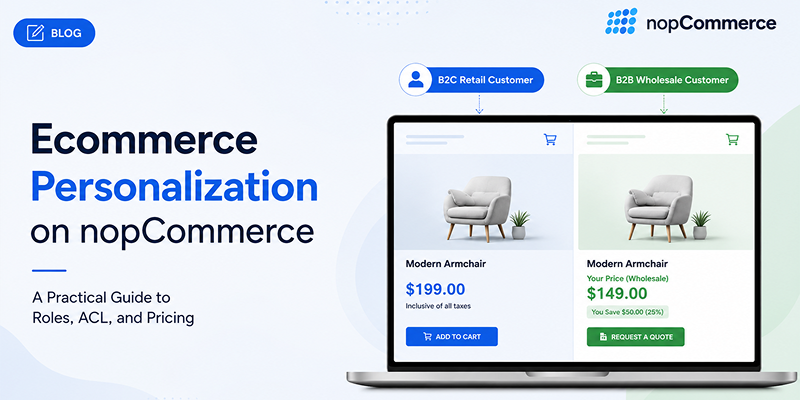
Table of Contents
- Introduction
- Why "Personalize Everything" Advice Doesn't Help You
- What Ecommerce Personalization Actually Means
- Native nopCommerce Personalization You're Probably Not Using
- A Real Example: Segmented B2B/B2C Pricing on One Store
- Content-Level Personalization: Recommendations, Email, and Recently Viewed
- Where Native nopCommerce Stops, and What Comes Next
- Mistakes Stores Make When They Try to Personalize
- Conclusion
- FAQ
Introduction
Most shoppers now expect a store to know something about them. McKinsey's research on personalization found that 71 percent of consumers expect personalized interactions, and 76 percent get frustrated when a store doesn't deliver one. If a site treats a returning wholesale customer exactly the same as a first-time browser, it feels outdated, and outdated stores lose orders to competitors who bothered to set things up properly.
The problem is that most personalization advice online tells you to "use AI to recommend products" and stops there. That's not wrong, it's just not a plan. It doesn't tell you what to click, what to configure, or what your store already has sitting unused in the admin panel.
This guide is different. We're a nopCommerce vendor, we build themes and plugins for this platform every day, and we're going to walk you through what nopCommerce can already do for personalization, what it takes a bit of setup to unlock, and where you genuinely need custom development. No recycled statistics, no vague "leverage AI" advice, just what actually works.
Why "Personalize Everything" Advice Doesn't Help You
A lot of ecommerce content treats personalization as one feature you install. In reality, it's three separate layers: who can see what, who pays what, and what content gets shown to whom. Most generic guides only ever talk about the third layer, the content and recommendations part, because that's the easiest thing to write about.
That leaves out the two layers where nopCommerce actually has a real advantage, especially for stores selling to businesses as well as consumers:
- Access personalization gets ignored. Hiding or showing categories and products based on who's logged in isn't covered in most "personalization tips" articles, yet it's one of the most requested features we hear from nopCommerce store owners.
- Pricing personalization gets treated as an afterthought. Showing different prices to different customer types is standard practice in B2B, and nopCommerce handles it natively, but it rarely gets mentioned outside of enterprise SaaS sales pages.
- B2B use cases get skipped entirely. Most personalization content assumes a single consumer-facing storefront. If you run wholesale, tiered pricing, or multi-store catalogs, you're left to figure it out yourself.
If you're running a nopCommerce store, you already have tools most personalization guides never mention. Let's define what personalization actually covers, then get into what you can turn on this week.
What Ecommerce Personalization Actually Means
Ecommerce personalization is the practice of showing a specific customer the right products, prices, or content based on who they are or how they've behaved on your store, instead of showing everyone the same generic catalog. It's not one feature. It's a layer that sits across your catalog, your pricing, and your content.
Here's how that breaks down in practice, and what's already available on nopCommerce without a single line of custom code:
| Personalization Layer | What It Controls | Native to nopCommerce? |
|---|---|---|
| Access | Which categories, products, or brands a customer can see | Yes, through Access Control List (ACL) |
| Pricing | What a customer pays for the same product | Yes, through Tiered Pricing and role-based Discounts |
| Content | Recommendations, recently viewed items, targeted email | Partially native; deeper behavioral personalization needs a plugin |
If you run a nopCommerce store, you already own half the personalization stack. Most owners just haven't switched it on.
Native nopCommerce Personalization You're Probably Not Using
Everything in this section ships with nopCommerce core. No purchase required.
Customer Roles: The Foundation Everything Else Builds On
Every customer on your store belongs to at least one role, whether that's Guest, Registered, or a custom role you create such as Wholesale, VIP, or Distributor-Tier1. Roles are the switch that controls almost everything else on this list:
- Which parts of the catalog a customer can browse
- What price they see for the same product
- Which discounts apply to their account
- What navigation and menu items they can access
If you've never created a custom role beyond the defaults, this is the first thing worth doing before anything else on this list.
Access Control List (ACL): Controlling Who Sees What
ACL lets you attach visibility rules to categories, products, or manufacturers, tied directly to customer roles. It answers the question "who is even allowed to see this in the first place," which is a different question than pricing.
A common real-world setup looks like this: a store keeps its main catalog public, but creates a separate "Outlet" or "Wholesale" category with ACL restricted to a Premium or Distributor role. Regular visitors never see it exists. Logged-in wholesale accounts see it as a normal part of their catalog.
One setup detail that trips up a lot of store owners: there's a performance setting in Catalog Settings called "Ignore ACL rules (sitewide)." If that's checked, every ACL rule on your store gets silently switched off, regardless of how carefully you've configured roles and categories. If your segmentation stops working and you can't figure out why, this setting is the first place to check.
Tiered Pricing by Customer Role
Tiered pricing lets you assign different prices to the same product depending on which role a customer belongs to. A straightforward example:
- Retail customers see $49
- Wholesale accounts see $39
- VIP tier accounts see $35
No custom development, no third-party checkout logic, just a price configured per role on the product itself. One honest caveat worth knowing before you rely on it: the tiered price only applies when it's lower than the standard price, and exactly when that adjusted price becomes visible to the customer can vary depending on your store's configuration. Test it with a real account in each role before assuming it's working the way you expect.
Conditional Discounts
Discounts in nopCommerce can be scoped to a specific customer role, a specific store (if you run multi-store), a date range, a coupon code, or a minimum order quantity. This is your built-in engine for personalized promotions — a wholesale-only bulk discount or a loyalty-tier seasonal offer — without needing separate marketing automation software.
A Real Example: Segmented B2B/B2C Pricing on One Store
Here's how these pieces come together on a single storefront selling to both retail shoppers and business accounts.
- Create two customer roles beyond the defaults: Wholesale and VIP
- Set up a Wholesale-Only category containing products not meant for retail customers, and restrict its ACL to the Wholesale role only
- Configure Tiered Pricing on shared products so Wholesale and VIP accounts see lower prices than Registered customers, without touching the base product price
- Add a role-scoped discount that applies automatically once a Wholesale account's cart reaches a minimum quantity — no coupon code needed
- Test the full flow logged in as each role, plus as a logged-out guest, to confirm nobody sees pricing or categories they shouldn't
This is the difference between personalization as a marketing word and personalization as a system that actually runs your store. None of it requires custom development. It requires knowing where the switches are.
Content-Level Personalization: Recommendations, Email, and Recently Viewed
This is the layer most generic articles focus on exclusively, and where nopCommerce is strong natively but not limitless.
- Recently Viewed Products. A native widget that costs nothing to set up and quietly assists conversion by reminding shoppers what they already looked at.
- Related Products and Cross-sells. Native and effective, but worth being honest about: these are manually curated by you, not generated automatically from live shopper behavior. That's a strength if you want control over merchandising, and a limitation if you're expecting automatic behavioral matching.
- Compare Products. Useful for considered purchases where a shopper is deciding between similar items, and it personalizes the decision process itself rather than the catalog.
- Segmented Newsletter Campaigns. The native campaign tool can target specific customer roles or segments instead of blasting your entire list with the same message, which matters more than most stores realize.
This is usually where store owners stop, and it's also where the gap between "native personalization" and "AI-assisted personalization" starts to show.
Where Native nopCommerce Stops, and What Comes Next
To be direct about it: nopCommerce's native tools handle access control, role-based pricing, and manually curated content extremely well, arguably better than most platforms when it comes to B2B use cases. Where it doesn't go natively is real-time behavioral personalization: dynamic recommendations that update based on live browsing patterns, predictive product suggestions, or AI-assisted merchandising that adjusts itself without you manually setting the rules.
That gap exists across the nopCommerce plugin ecosystem right now, not just on one store or one theme. It's a space we're actively looking at as vendors, because it's the honest next step once the fundamentals above are in place, not before. If you've already got your roles, ACL, and pricing set up and you're looking at what a more dynamic, behavior-driven layer would take to build on top of that, that's a conversation worth having with a development team that knows the platform.
Mistakes Stores Make When They Try to Personalize
- Turning on ACL or tiered pricing and never testing what a Guest versus a Registered customer actually sees — this is one of the most common support requests, and it's usually a five-minute fix once someone actually checks
- Leaving "Ignore ACL rules (sitewide)" checked, then wondering why none of the segmentation is working
- Treating personalization as an email marketing task only, while ignoring catalog and pricing personalization entirely
- Creating too many customer roles and pricing tiers without a clear structure behind them, which turns into a maintenance problem within a few months
- Buying an expensive third-party plugin before checking what's already available natively in the platform
Conclusion
Personalization on nopCommerce doesn't start with chasing the newest AI trend. It starts with actually using the role, access, and pricing engine the platform already gives you, then layering content personalization and more advanced tools on top once that foundation is solid. Most stores skip straight to wanting the advanced layer without ever switching on the basics, and that's usually why personalization efforts stall out.
If you're not sure where your store currently stands on any of this, or you want a second set of eyes on your customer roles, ACL setup, or pricing configuration, our team works with nopCommerce stores on exactly this kind of setup every day.
Need help setting up customer roles, ACL, or tiered pricing correctly on your store?
Talk to our nopCommerce development team →
FAQ
Does nopCommerce support personalization out of the box?
Yes. Customer roles, ACL-based catalog visibility, tiered pricing, and conditional discounts are all native. Real-time behavioral or AI-driven recommendation personalization generally requires a plugin or custom development.
How do I show different prices to different customers in nopCommerce?
Use Tiered Pricing configured per customer role, or a conditional discount scoped to that role. If you need more advanced dynamic pricing by currency, store, or schedule, that's where a pricing-focused plugin extends the native functionality further.
What's the difference between ACL and Tiered Pricing?
ACL controls visibility, meaning who is even allowed to see a category, product, or manufacturer. Tiered Pricing controls cost, meaning what a customer pays for something they can already see. Most B2B setups use both together.
Can I personalize a nopCommerce store without any plugins?
Yes, for access and pricing personalization specifically. Content-level personalization such as real-time recommendations or predictive email timing generally needs a plugin or custom build to go beyond the native features.